 Reselling AI Assistant
Why the title matters most
When a buyer searches, eBay looks for listings whose titles closely match the words they typed. If the words a buyer uses aren’t in your title, your item may not show up at all, however good the photos are.
eBay gives you 80 characters and its own seller guidance is to use as many of them as you can, on relevant keywords.
A simple order that works for clothing
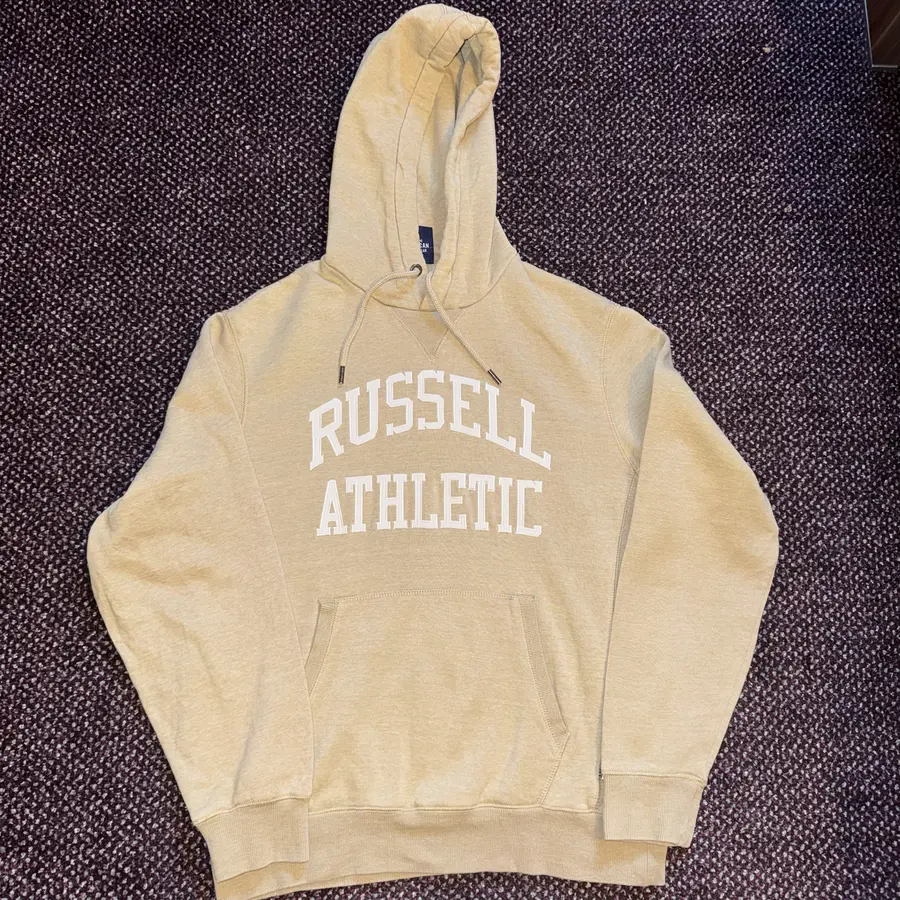
Write the title in the order a buyer thinks about the item:
- Brand: Nike, Ralph Lauren, Barbour.
- Item type: hoodie, quarter-zip, wax jacket.
- Who it’s for: men’s, women’s, kids’, if it isn’t obvious.
- Size: M, UK 12, W32 L30.
- Colour and pattern: grey, navy check.
- Details that sell: era (90s, Y2K), material (100% cotton, lambswool), style (oversized, cropped), model or line.
Words to leave out
- Filler: “wow”, “look”, “must see”, “bargain”. Nobody searches for them, and they use up characters.
- Symbols and special characters: eBay advises against them; they don’t help search.
- Other brands: “not Nike” or “Nike style” on a different brand misleads buyers and wastes characters on a brand you aren’t selling.
- Condition words you can’t back up: say “vintage” only when you can date it (see how to tell if clothing is vintage).
Fill in the item specifics too
Item specifics are the structured details, such as brand, size, colour and style, that power the filters on the left of eBay’s search results. eBay marks some of them, like brand, size and colour, as required for clothing, and says new or revised listings missing required specifics will be blocked. Pick eBay’s suggested values where you can rather than typing your own.
Your title and specifics should agree. If the title says “Size L” and the size specific says M, buyers lose trust and you invite returns.
Check your title before you publish
- Read it as a buyer: would you type these words to find it?
- Count the characters: under 60 usually means you’ve left out a useful detail.
- Look at sold or live listings for the same item and note the words they use.
- Don’t copy the same title to Vinted or Etsy without a check: each site has its own limits and its buyers search differently.
Do it in seconds with Reselling AI Assistant
Take a photo and Reselling AI Assistant writes a separate title and description for eBay, Etsy and Vinted, with the brand, item type, size, colour and era it can see. You review it, then publish to eBay in one click from your connected account. It takes about 30 seconds from photo to live. Your first 3 scans need no account.
How this worksheet works
This is an editorial sourcing checklist, not a market-price prediction. Worked numbers are illustrative. Follow the linked calculators for deterministic formulas and clearly stated assumptions.
Reselling AI Assistant uses asking prices and user-recorded sales where available, not verified sold prices unless actually supported. A scan can help connect valuation to Buy/Skip, listing generation and inventory/profit tracking; inspect the item and review the evidence before acting.
Want more guides like this in your Google results? Add Reselling AI Assistant as a preferred source on Google.
Frequently asked questions
How long can an eBay title be?
80 characters. eBay’s own guidance is to use as many of them as you can on relevant words.
Should I write my eBay title in capitals?
No need. Capitals add nothing for buyers, and a normal title is easier to read on a phone.
Do item specifics matter if my title is good?
Yes. They power the size, colour and brand filters buyers use, and eBay blocks clothing listings that miss required specifics such as brand, size and colour.
Can I use the same title on Vinted and Etsy?
You can, but it’s better to adapt it. Each marketplace has its own title rules and its buyers search in different ways.
Sources and scope
Information checked 16 November 2026. Confirm your account terms and current charges before listing.