 Reselling AI Assistant
Key takeaways
- Use daylight, not flash.
- Use a plain background in the same spot every time.
- Make the first photo the whole item, straight and uncluttered.
- Photograph labels, details and every flaw.
- Use most of your photo slots: Vinted allows 20.
Light first
Daylight from a window gives true colours. Avoid flash and warm lamps, which turn navy into black and white into cream. Vinted’s own photo advice says to use natural daylight and skip flash and filters.
A plain background makes the item the star
A busy duvet, carpet or floor pulls the eye away from the item. A plain wall, door, sheet of card or clean bedsheet works. Hang it on a hanger against a door, or lay it flat and shoot from directly above.
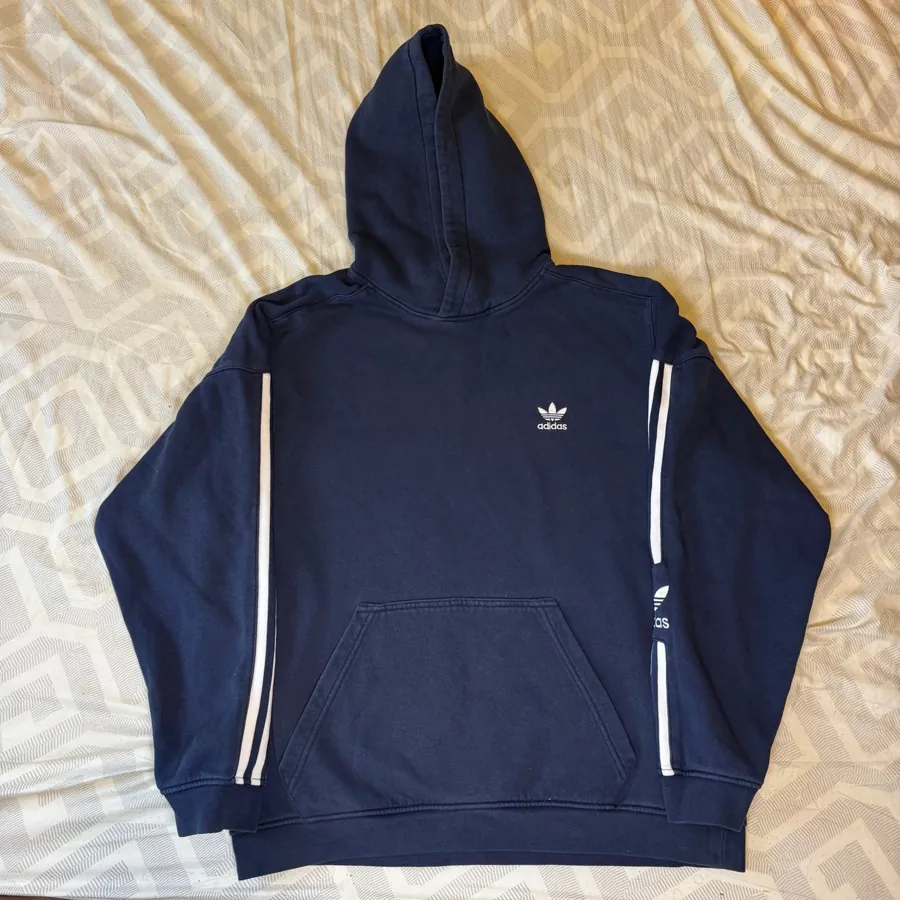
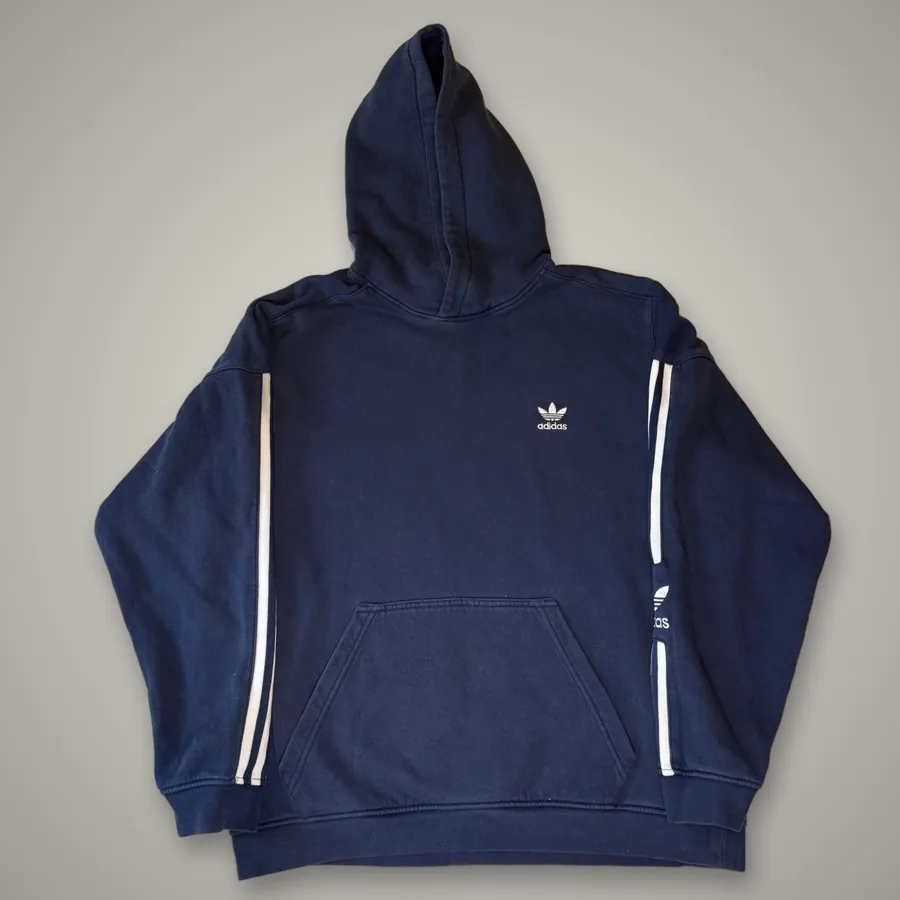
The shots to take
- Front, whole item: this is your thumbnail. Vinted asks for the full item first and no collages.
- Back, flat and straight.
- Brand label and size label, close and readable.
- Care label: it shows fabric and often where and when it was made.
- Logo, print or embroidery up close.
- Details: zips, buttons, hardware, pockets.
- Every flaw, with a finger or pen pointing to it.
- Measurements, with the tape across the item.
How many photos each site allows
- Vinted: up to 20 photos per listing.
- eBay: up to 24.
- Etsy: up to 20 images.
Reselling AI Assistant reads your photos once and uses them for every marketplace you publish to: eBay, Etsy and Vinted today, with more coming soon. See crosslisting for UK resellers.
Flat lay, hanger or worn?
- Flat lay: easiest and most consistent. Shoot straight down from above so the item isn’t distorted.
- On a hanger: good for shirts, dresses and jackets. Hang against a plain door or wall.
- Worn or on a mannequin: shows fit and drape, and works well on Depop and for vintage. Crop out faces if you prefer, and keep the background tidy.
Pick one style and stick with it across your shop. A consistent look makes your wardrobe or store look more professional.
Phone settings that help
- Wipe the camera lens first; a smudge makes everything look hazy.
- Turn off flash and beauty filters.
- Tap the screen on the item to focus and set the exposure.
- Shoot at normal zoom (1x) rather than wide-angle, which bends the edges.
- Shoot square or portrait. Vinted and Depop show square-ish thumbnails, so keep the item centred with a little space around it.
Make the first photo count
The first photo is all a buyer sees while scrolling. Make sure the whole item is in frame, straight and well lit, with no clutter at the edges. Smooth out creases or give it a quick steam first. A crumpled hoodie on a dark floor gets scrolled past; the same hoodie flat and bright gets tapped.
Common photo mistakes
- Dark photos taken at night under yellow lights.
- Busy backgrounds: duvets, carpets, pets, piles of other clothes.
- Cut-off sleeves or hems in the main photo.
- No label photo, so buyers have to message to ask the size or fabric.
- Stock photos from the brand. Vinted asks for your own photos of the actual item.
A simple home setup
You don’t need a studio. Pick one spot near a big window, ideally out of direct sun, which creates harsh shadows. Put up a plain backdrop: a white or light grey wall, a large sheet of foam board, or a plain sheet clipped smoothly to a door. Keep a hanger, a lint roller and a steamer nearby. On grey days, a cheap daylight-balanced LED panel helps, but avoid normal yellow bulbs.
Shoot every item in the same spot with the same background. Your listings will look consistent, buyers will recognise your shop, and you’ll get faster because you’re not setting up each time. A whole batch of ten items can be photographed in under half an hour once the setup is in place.
Photos for different marketplaces
Vinted and Depop favour a natural, real-life look, and worn photos do well on Depop in particular. eBay buyers like clear, bright photos on a plain background, and the first photo appears in search results, so it should be the cleanest. Etsy shoppers for vintage expect atmosphere as well as detail. You don’t need different photos for each site; one good, consistent set works everywhere.
Show flaws honestly
Photograph and mention every mark, hole or bit of wear. Vinted says buyers can return an item that is significantly not as described, so a clear flaw photo protects you and builds trust. Our guide to spotting flaws in second-hand clothes shows what to look for.
How this worksheet works
This is an editorial sourcing checklist, not a market-price prediction. Worked numbers are illustrative. Follow the linked calculators for deterministic formulas and clearly stated assumptions.
Reselling AI Assistant uses asking prices and user-recorded sales where available, not verified sold prices unless actually supported. A scan can help connect valuation to Buy/Skip, listing generation and inventory/profit tracking; inspect the item and review the evidence before acting.
Want more guides like this in your Google results? Add Reselling AI Assistant as a preferred source on Google.
Frequently asked questions
How many photos can I add on Vinted?
Up to 20 per listing.
What is the best background for clothing photos?
Something plain and light, such as a wall, door or sheet of card, with daylight from a window.
Should I use flash for clothing photos?
No. Flash and lamps change colours. Use daylight.
Do I need to photograph flaws?
Yes. It protects you if a buyer claims the item isn’t as described.
Can I use stock photos on Vinted?
Vinted asks you to upload your own photos of the actual item.
Should I steam clothes before photographing?
Yes, if they’re creased. A smooth item looks newer and better cared for.
What time of day is best for clothing photos?
Late morning to mid-afternoon on a bright day, near a window but out of direct sunlight.
Sources and scope
Information checked 19 November 2026. Confirm your account terms and current charges before listing.